

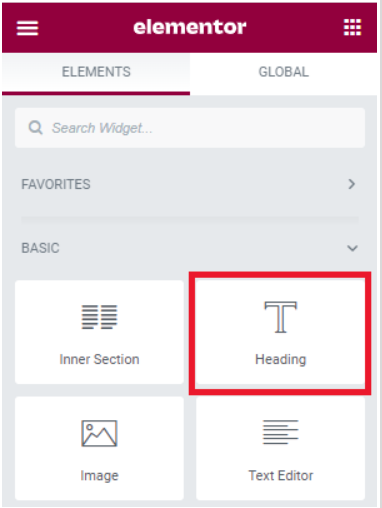
- Click the widget icon so that you can select a widget.
- Drag and drop a Heading widget into the container.
- In the Content tab, enter “Total Body Fitness” into the Title box.
- Change the Alignment to Center.
Now, we need to style the heading.
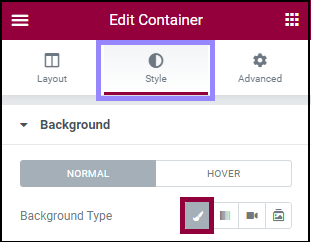
- Click the Style tab.
- Change the Text Color of the text to #F8F812 (Learn more about picking colors).
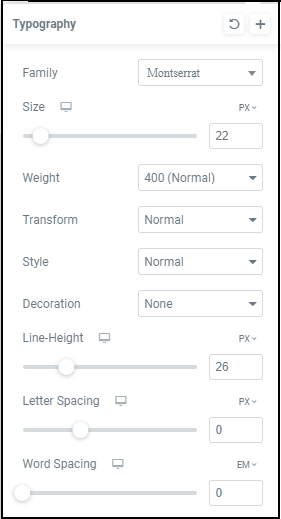
- Change the Typography to:
- Family: Montserrat
- Size: 22PX
- Weight: 400
- Transform: Normal
- Style: Normal
- Decoration: None
- Line Height: 26PX
(Learn more about typography)
Learn more about all these options for the Heading widget.
To add the second headline:
- Drag a Heading widget under the first widget.
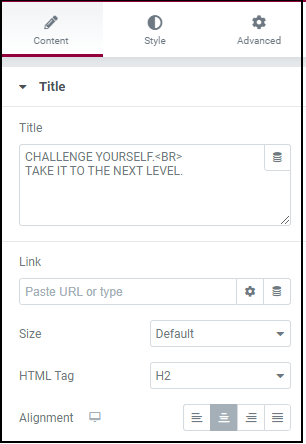
- In the Content tab change the text to “CHALLENGE YOURSELF.<BR>TAKE IT TO THE NEXT LEVEL and the Alignment to center. (The <br> in the text indicates a line break.)
- Go to the Style tab.
- Change the Text Color of the text to #FFFFFF.
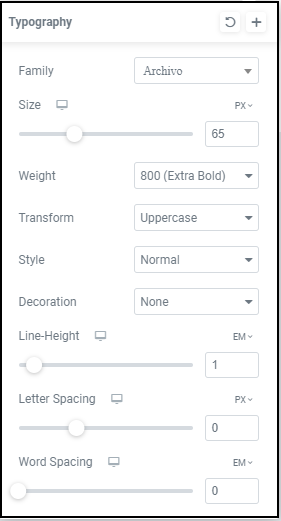
- Change the Typography to:
- Family: Archivo
- Size: 65PX
- Weight: 800
- Transform: Uppercase
- Style: Normal
- Decoration: None
- Line Height: 1EM
Finally, we’ll add a button that will quickly convert interested visitors into customers by taking them straight to a registration page. To do this:
- Drag a Button widget under the second header.
- In the Content tab change the Text to “see pricing>”
- Change the Alignment to Center.
- Go to the Style tab.
- Change the Typography to:
- Family: Archivo
- Size: 18PX
- Weight: 800
- Transform: Uppercase
- Style: Normal
- Decoration: None
- Line Height: 1EM
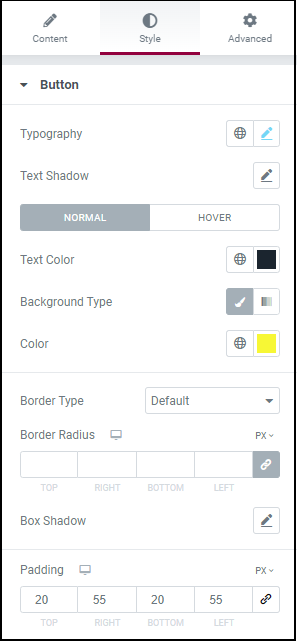
- Change the Text Color to #1B252F.
- Change the background color to #F8F812.
- In the Padding section, click the lock icon to unlink the values.
- Change the values to:
- Top: 20
- Right: 55
- Bottom: 20
- Left: 55
(Learn more about padding and margins)
Your container should now look like the one at the top of the page. If it doesn’t, look at what’s different and try to figure out which values you may have skipped or entered incorrectly.
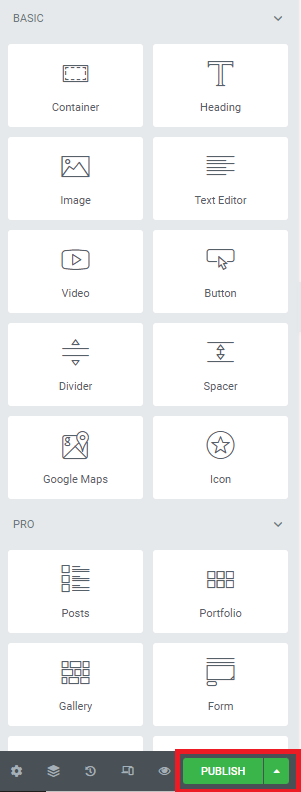
Click Publish to save your page.
Next steps
Of course we’ve only just scratched the surface of what you can do with Elementor. Next, you can create more sections below the hero to finish up your page. Or you can try applying a website kit to your site and customizing it for your needs. You can also apply a kit just to examine it and see how experts use Elementor. If you prefer to work from scratch, you can learn more about creating an entire site structure with the Theme Builder. To get the most out of Elementor, head over to the Elementor Academy for more learning resources. If you have any issues or need help, please contact our Support Center.